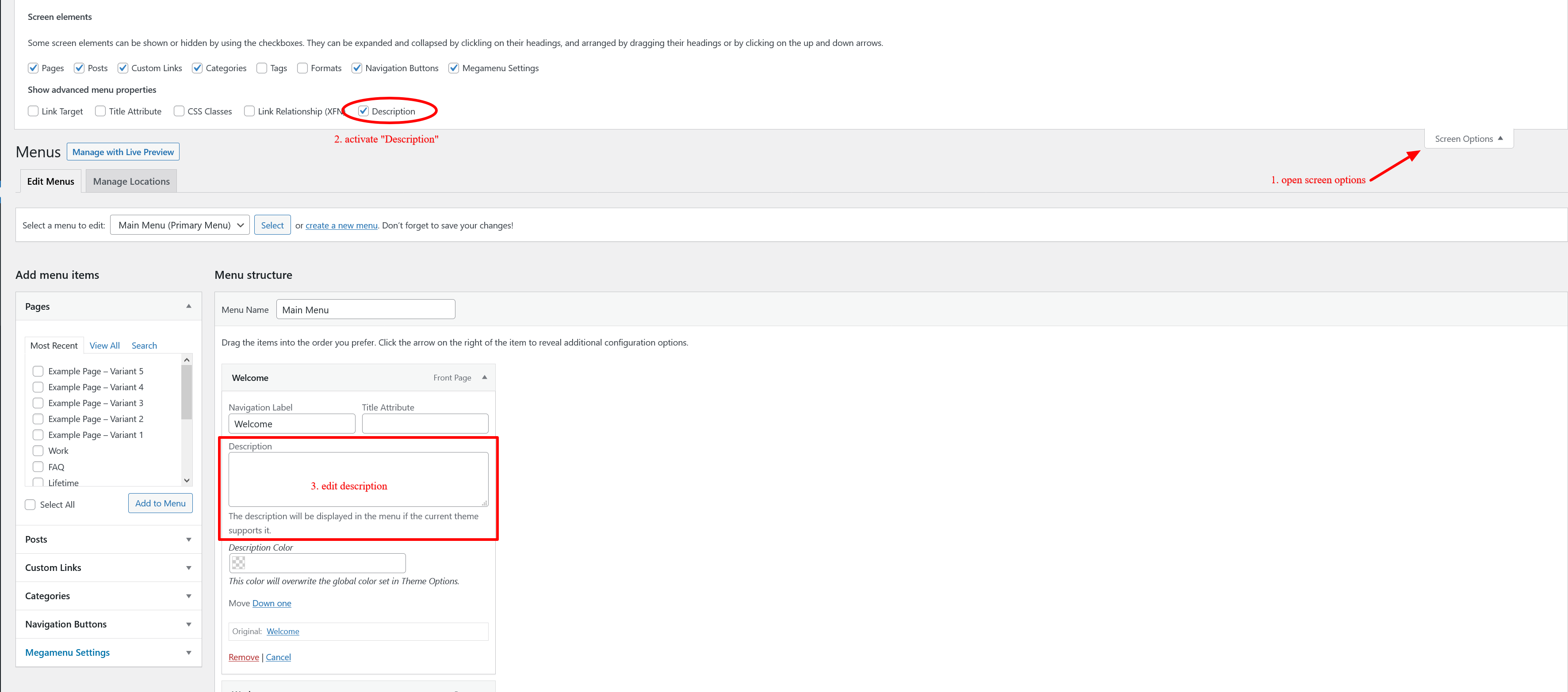
Editing the navigation numbers / description is very easy. Open your Dashboard > Appearance > Menus and edit the primary or secondary navigation. Then in upper right corner, open Screen Options and make sure Description is activated. Once activated edit the menu itself and there will be a new Description field available containing the number / description.