Linking a section in your main navigation is very easy with brooklyn. You can simply link any row or section with the section linking feature on the module settings itself.
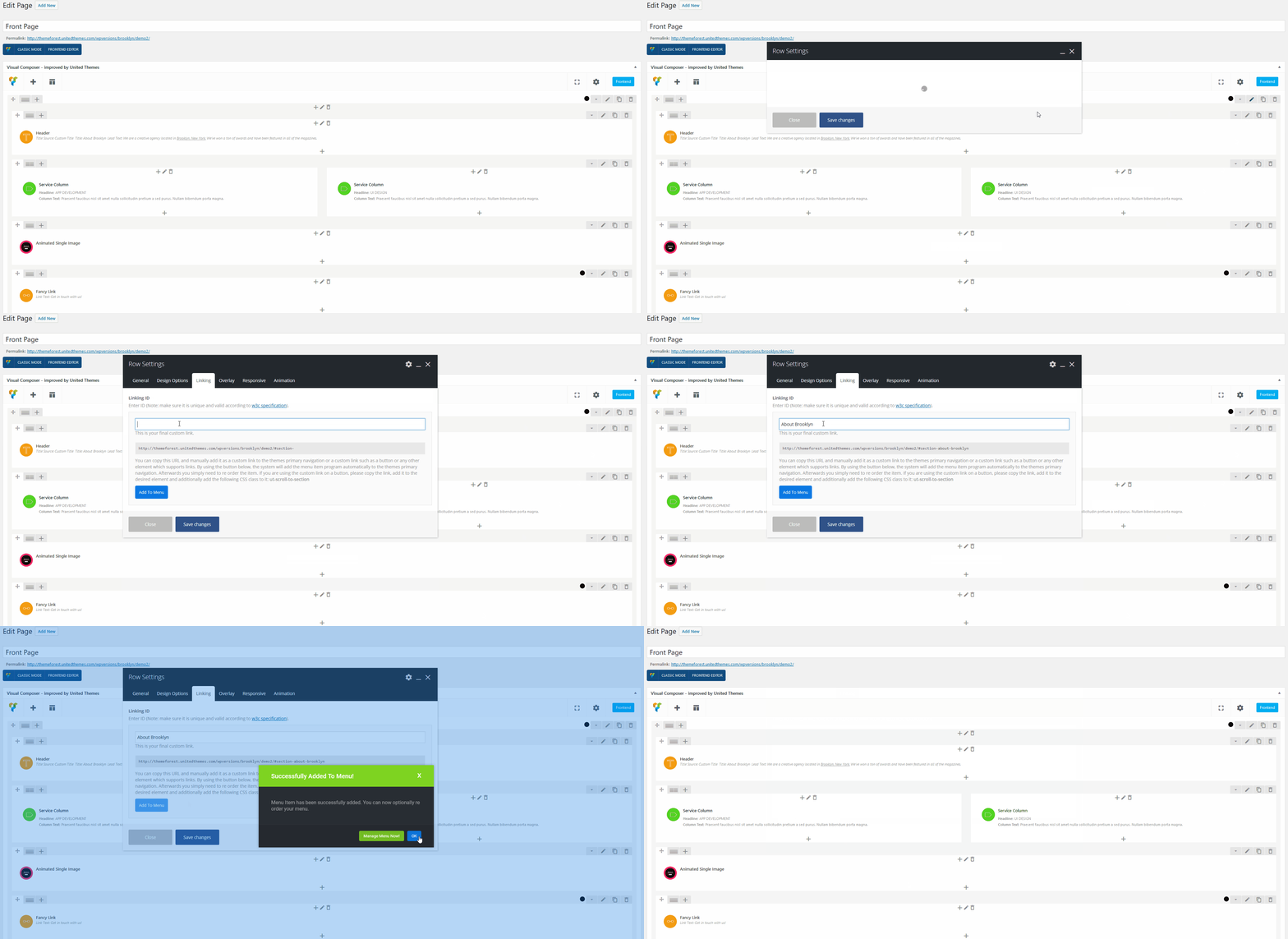
The item will be automatically added to the primary navigation. You can manage your navigation items under Apperance > Menus